Overview
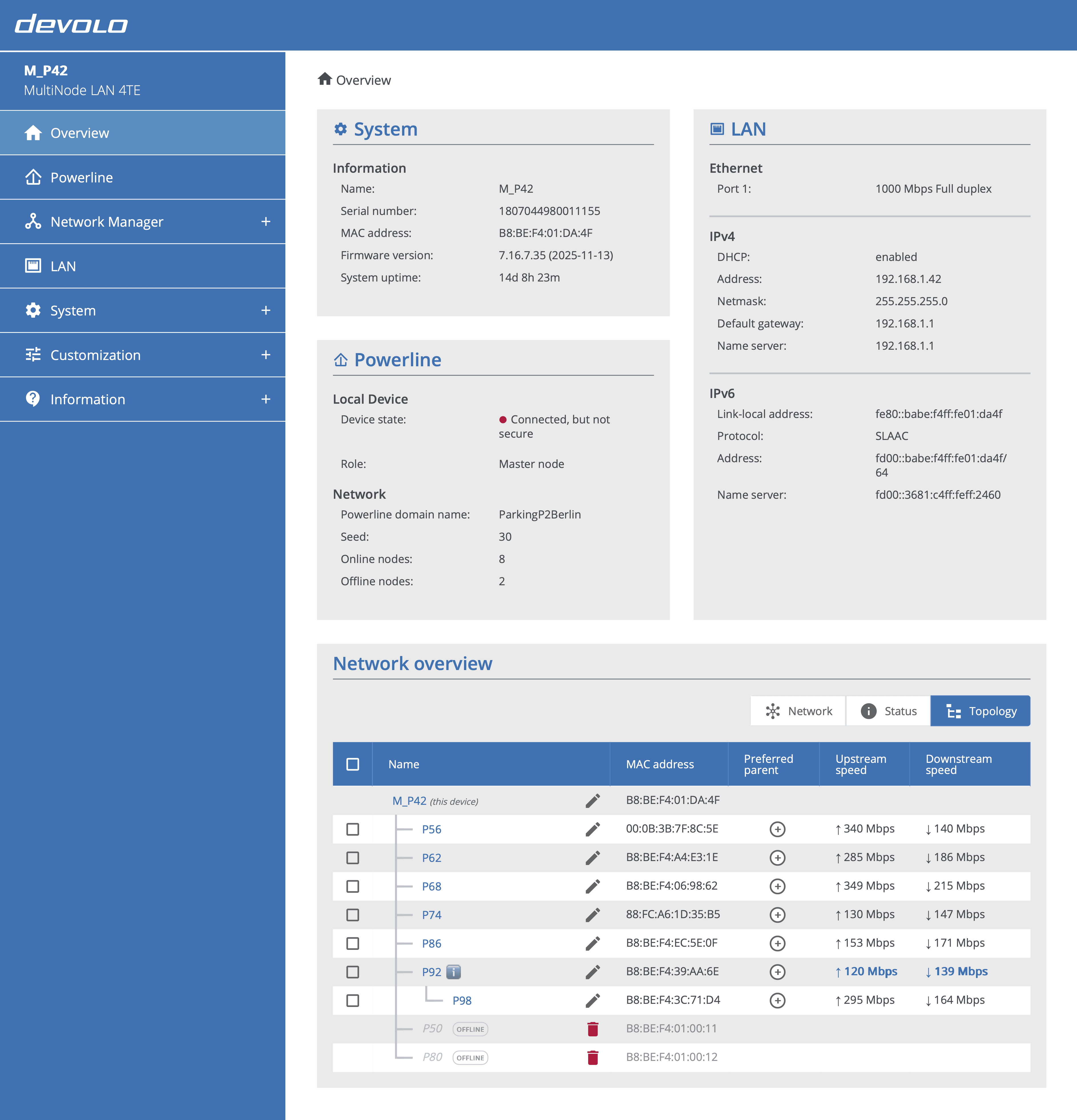
The Overview page displays information about the current node and, on the master node, the entire MultiNode network. On a regular node's web interface, details are limited due to peer-to-peer isolation.
The Overview page offers three views to monitor and manage the network: network view, status view, and topology view. All views display all nodes in the network, including offline nodes, and allow you to rename nodes.
Master vs. regular node web interfaces
The master node's web interface displays all nodes in the network. A regular node's web interface displays only a sub-network overview due to peer-to-peer isolation. Click a node name in any view to open that node's web interface.
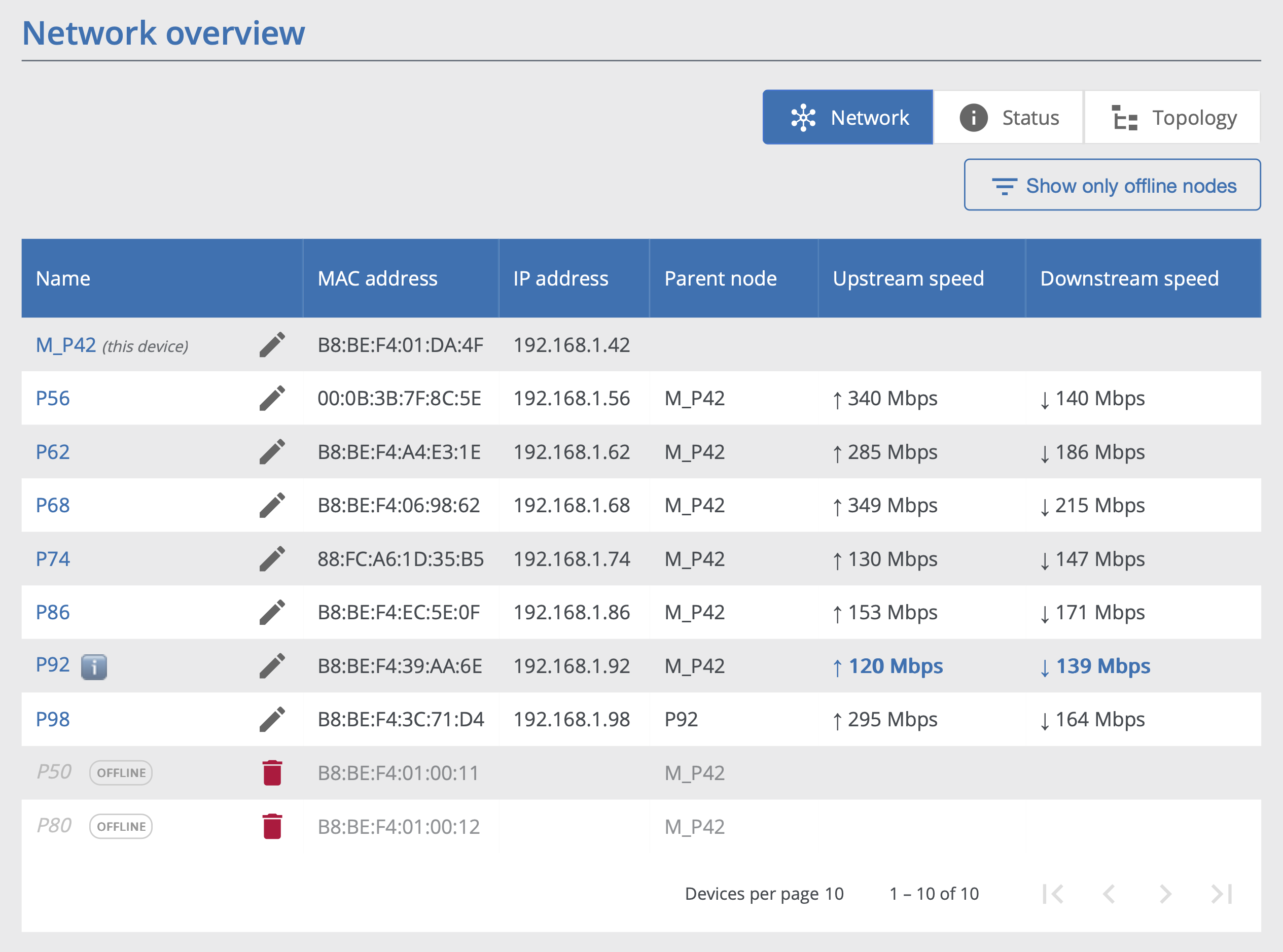
Network view
This view displays network information for each node: MAC address, IP address, upstream and downstream speeds, and parent node name.
Status view
This view displays status information for each node: firmware version with release date, uptime, and serial number.
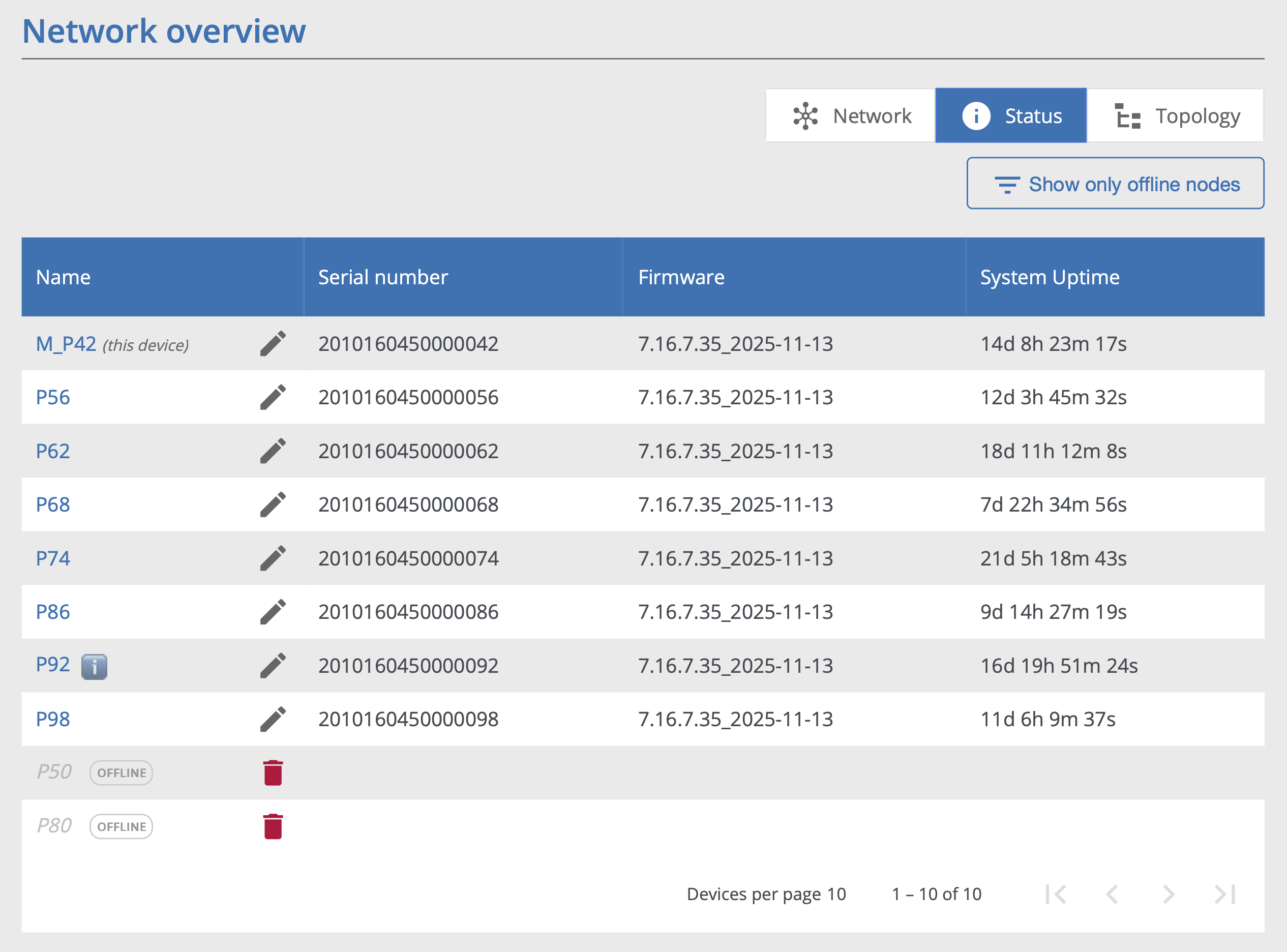
Columns in the network and status views can be sorted. Pagination reduces visual clutter when many nodes are present.
Topology view and setting preferred parent
This view uses indentation to represent the hierarchical network structure.
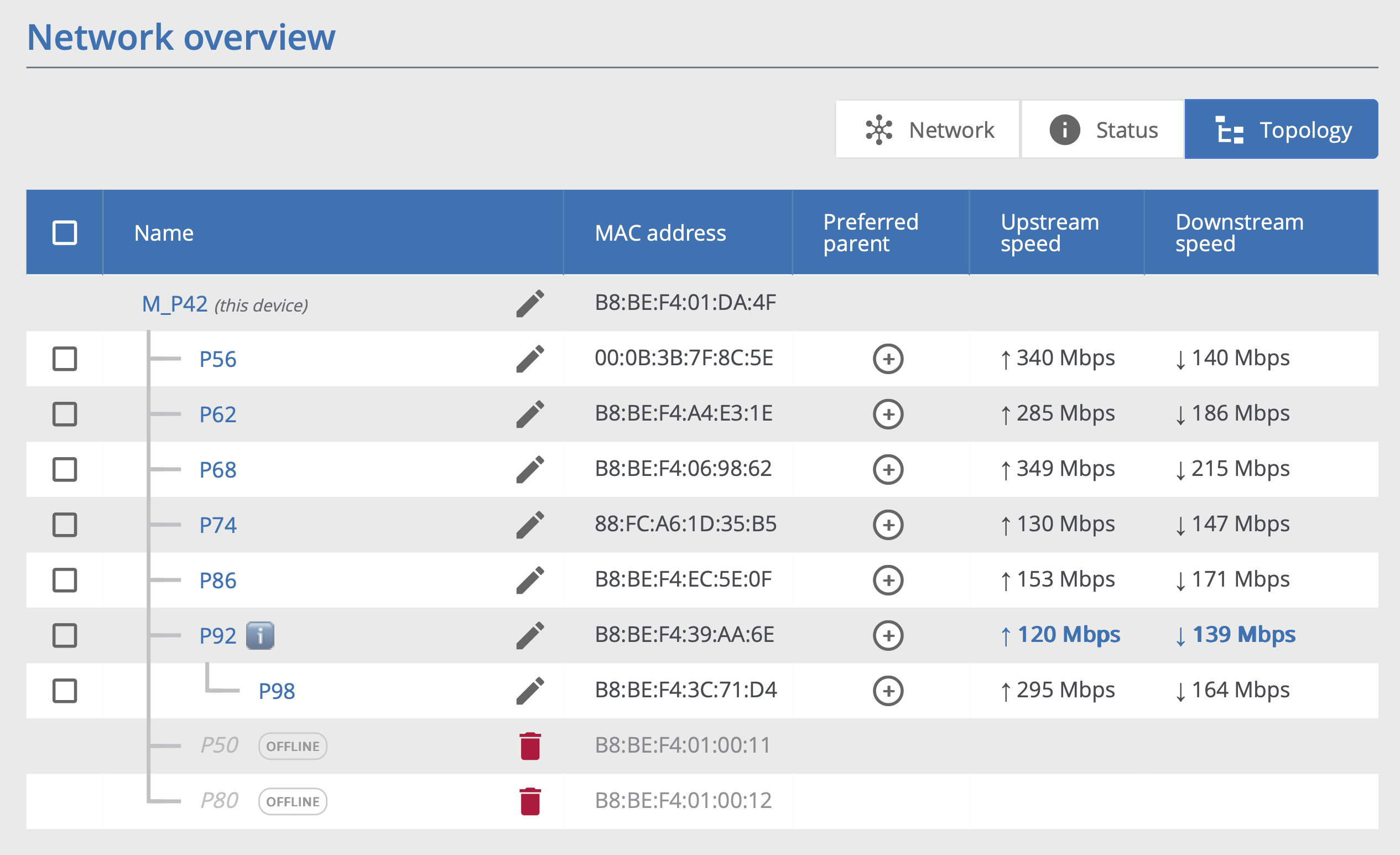
Use this view to set a preferred parent for each regular node. This can be useful in noisy environments where all regular nodes connect directly to the master node, forming a flat topology. To set a preferred parent, click the plus button in the 'Parent node' column and select the desired parent from the dropdown.
Preferred parent
Setting a preferred parent does not guarantee the node will select it as the actual parent. If environmental conditions indicate the preferred parent is not optimal, the node selects a different parent. When this occurs, the parent node column displays the preferred parent name in orange to indicate the deviation.
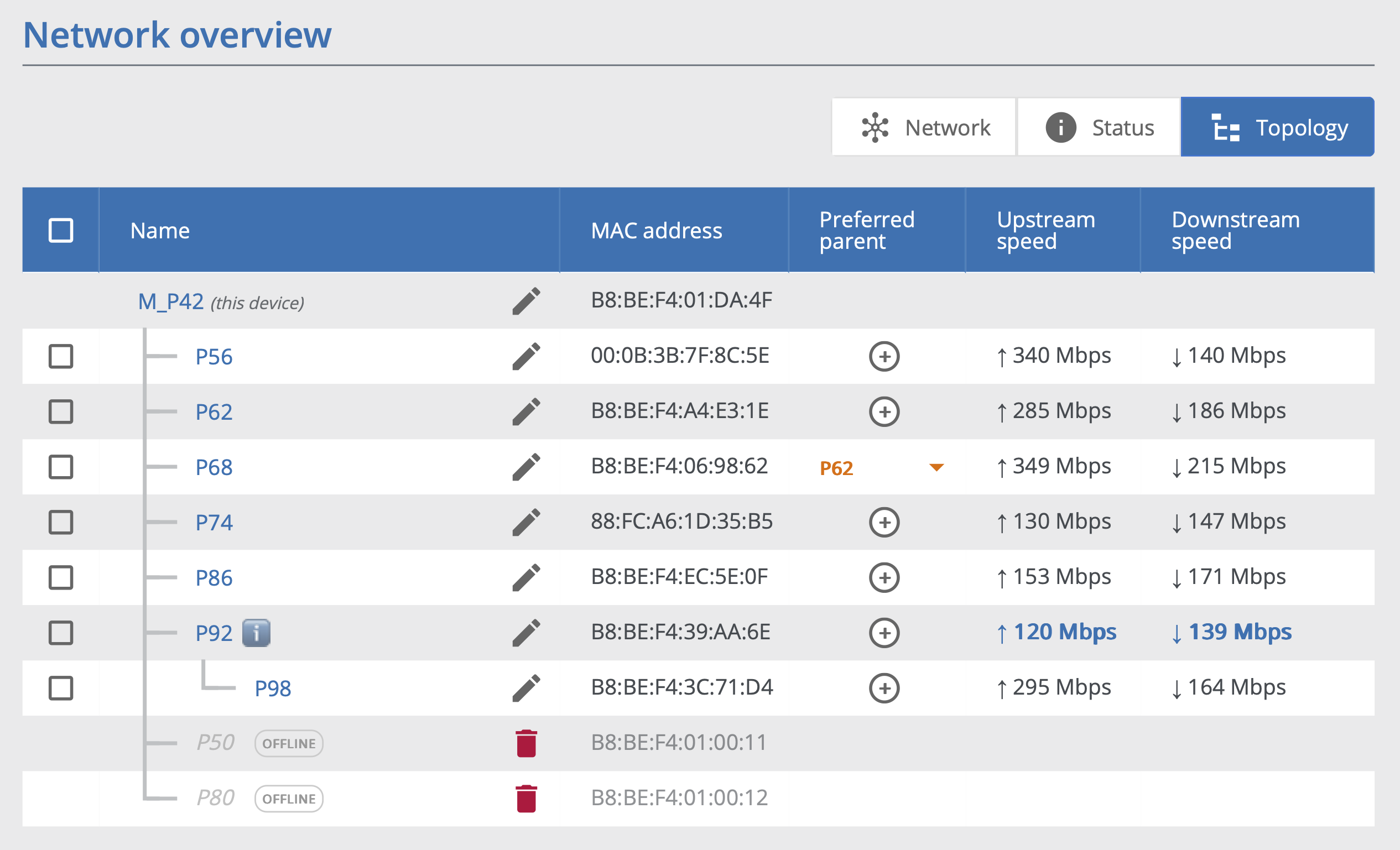 Preferred parent shown in orange when the current parent differs from the selected preferred parent (during transition or when the node selects a different parent)