Setting up a new MultiNode network
A MultiNode network consists of exactly one master node and several regular nodes. Regular nodes automatically switch to repeater nodes.
In factory‑default state, each MultiNode LAN 4TE is a regular node. You can establish the network by accessing that node you intend to set up as the master node.
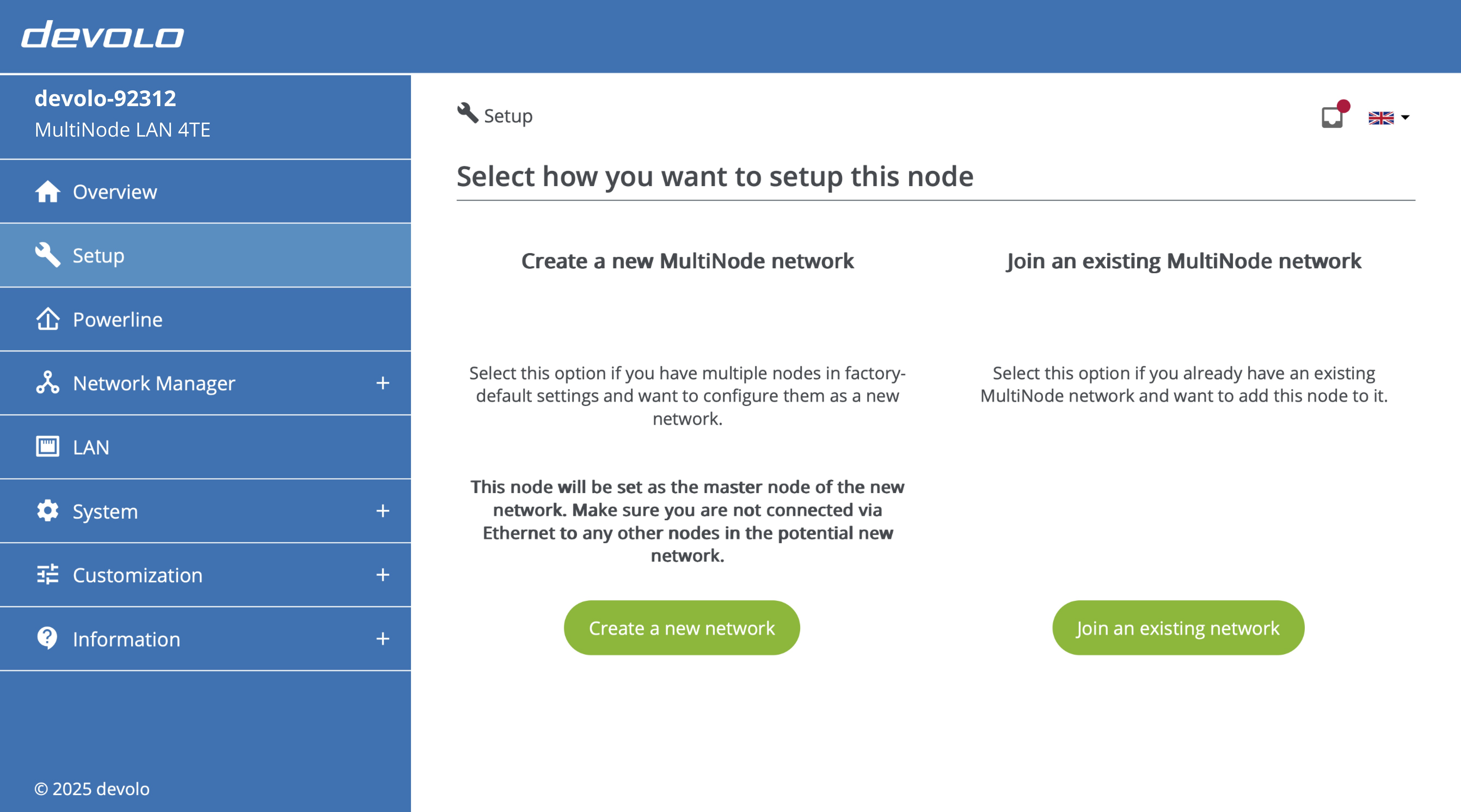
After first accessing the web interface, the setup wizard starts automatically. It lets you set up this node as the master of a new network or join an existing network as a regular node.
Follow the instructions below to create a new MultiNode network. If you already have an existing network that you would like to extend with additional devices, see instructions to do so here.
-
Click 'Create a new network' button. This will set the current node as the master node; since other nodes are regular nodes by default, they will begin connecting to this node to form a MultiNode network.
-
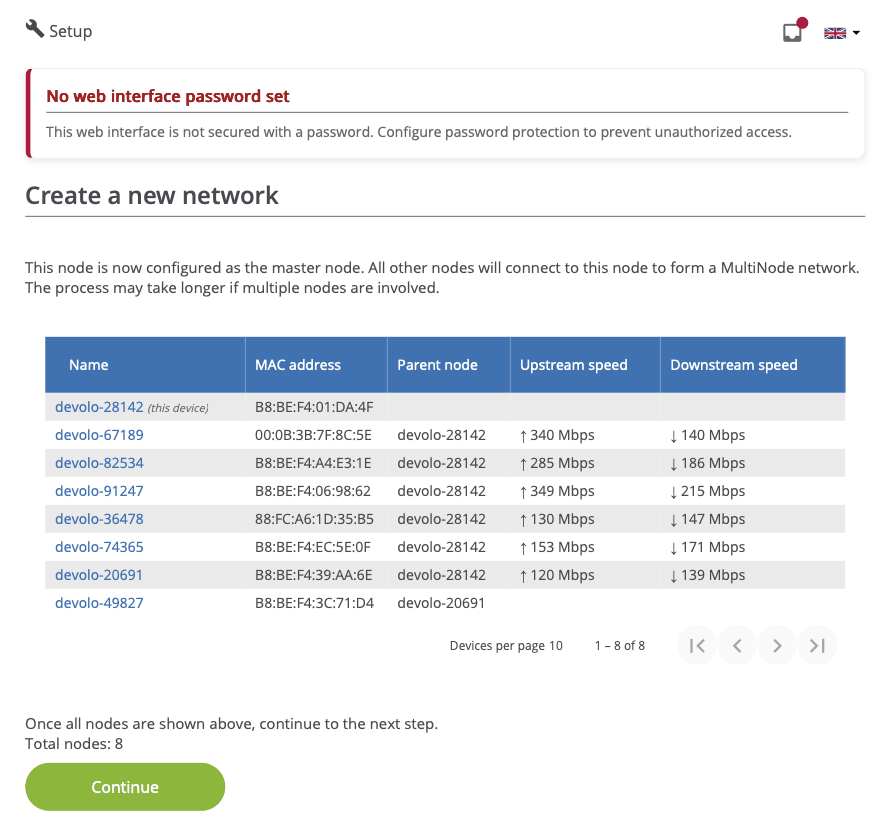
On the next screen shown below, wait until all nodes have connected to the master node and then click 'Continue'.
-
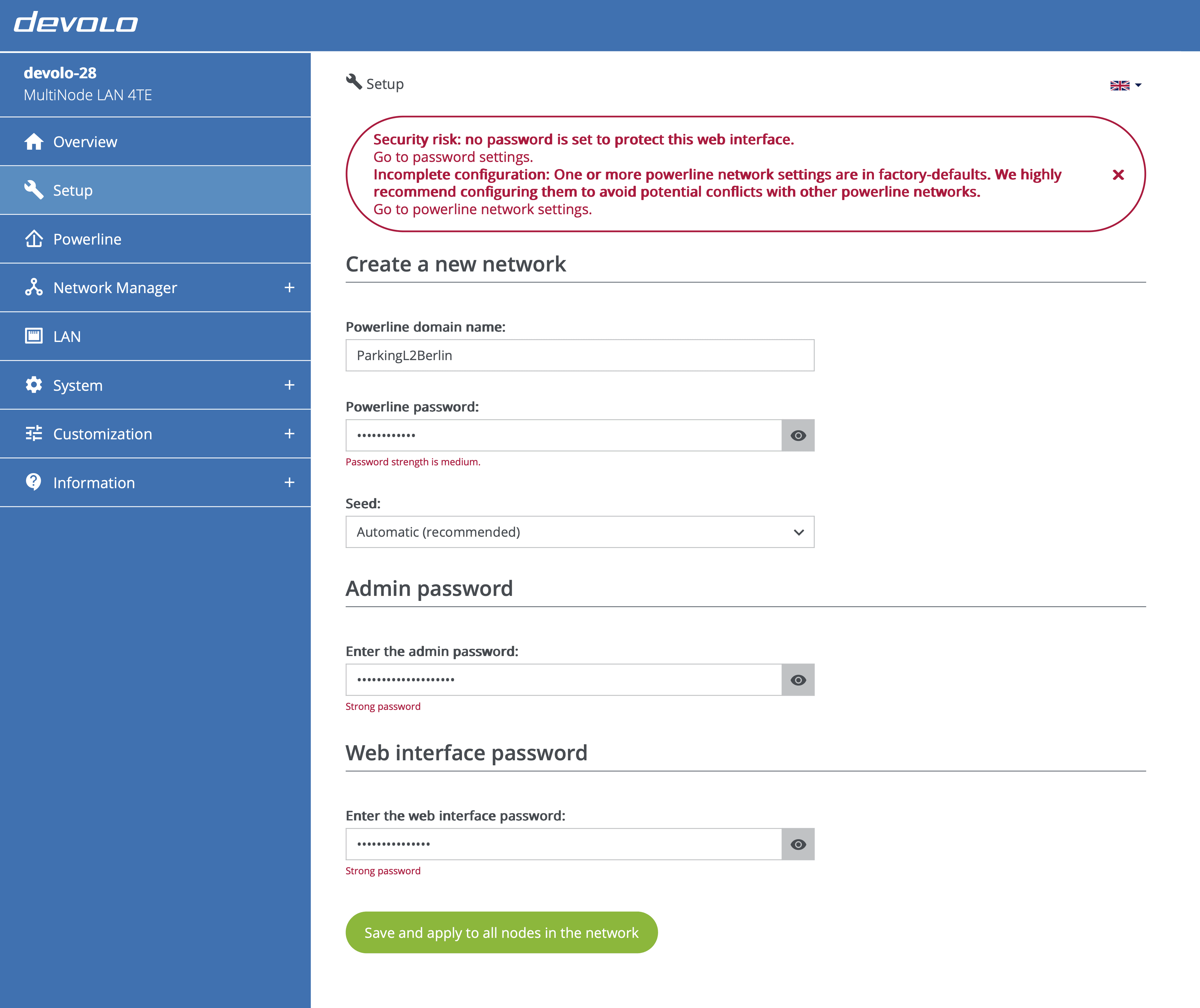
On the next screen shown below, configure the network by entering the following details and click 'Save and apply to all nodes in the network'.
-
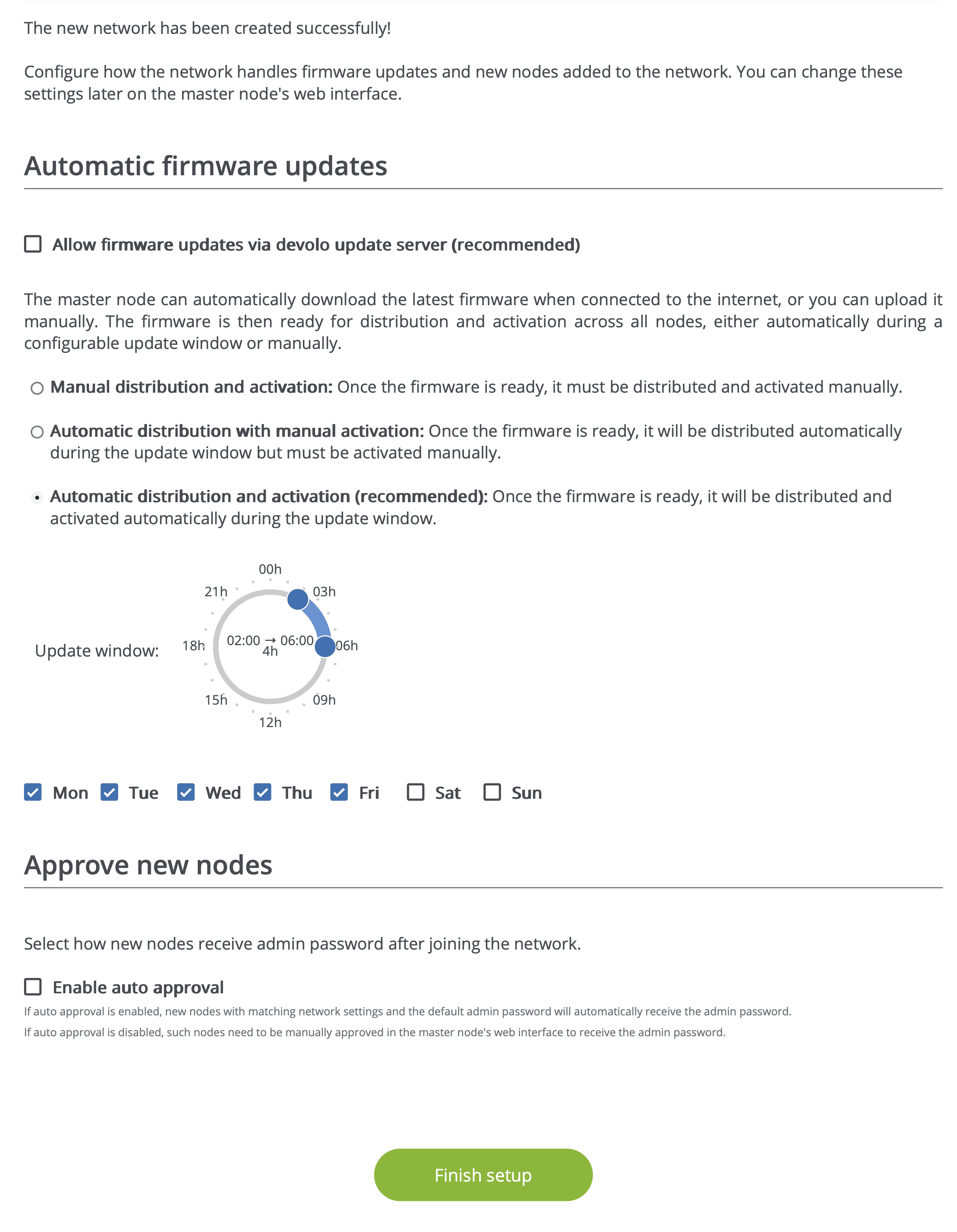
Finish the setup by configuring how the network handles firmware updates and new nodes added to the network.
Powerline domain name
Enter a network name with a maximum length of 32 characters. The default network name is "HomeGrid".
Network name
Note that the network name must be unique to each Powerline network. It is highly recommended to set a meaningful network name to simplify management in the long term.
Powerline password
Password manager
It is recommended to use a password manager to store passwords.
Enter a network password with a length of 3 to 12 characters. By default, the password is empty.
Network password
Use a unique network password for each Powerline network at the site. Consider using a password manager to store passwords and other secure information for your MultiNode networks.
Seed
The default value is 0 (zero). It is recommend to use an automatic seed so that a seed from 1 to 59 that is not already used by another MultiNode network at the same site is chosen for your network.
Avoid seed 0
Do not use seed 0 in a live network, as it can affect neighboring Powerline networks.
Admin password
The admin password is 8-20 characters long and protects the management channel from unauthorized access.
Web interface password
The web interface password is 8-128 characters long and protects the web interface from unauthorized access.